M
MONA ScreenBoard
N° 01—— GIỚI THIỆU SẢN PHẨM—— PRODUCT INTRODUCTION

Công cụ tốt nhất
để dạy trực tuyến
& quay màn hình.
The best tool
to teach online
& record your screen.

MONA ScreenBoard là phần mềm dạy trực tuyến và quay màn hình với spotlight con trỏ chuột — học viên Zoom, viewer YouTube, khách hàng demo Google Meet không bao giờ lạc khỏi tay bạn. Vòng sáng theo chuột, hiệu ứng click, hiện phím vừa bấm, vẽ mũi tên A→B, paint tự do. Chạy trên cả macOS và Windows. Một lần. Trọn đời.MONA ScreenBoard is the screen-recording & online-teaching app with a built-in cursor spotlight — your Zoom students, YouTube viewers, and Google Meet prospects never lose sight of your pointer. Cursor spotlight, click pulse, live keystroke display, A→B arrows, freehand paint. Runs on macOS & Windows. One-time. Forever.

★ MAC + WINDOWS   ★ 199K MỘT LẦN   ★ KHÔNG SUBSCRIPTION   ★ TIẾNG VIỆT + ENGLISH   ★ MAC + WINDOWS   ★ 199K MỘT LẦN   ★ KHÔNG SUBSCRIPTION   ★ TIẾNG VIỆT + ENGLISH★ MAC + WINDOWS   ★ 199K ONE-TIME   ★ NO SUBSCRIPTION   ★ VIETNAMESE + ENGLISH   ★ MAC + WINDOWS   ★ 199K ONE-TIME   ★ NO SUBSCRIPTION   ★ VIETNAMESE + ENGLISH
N° 02—— TẠI SAO LẠI CẦN—— WHY YOU NEED THIS

9 trên 10 giáo viên Zoom Việt Nam mình hỏi đều bảo: “học viên hay hỏi 'thầy đang chỉ chỗ nào?' giữa buổi học.” Vấn đề không phải kỹ năng dạy — vấn đề là không ai thấy con trỏ chuột nhỏ xíu trên Zoom 720p sau khi compress.9 out of 10 Vietnamese Zoom teachers I asked said: “my students keep asking 'where are you pointing?' mid-lesson.” The problem isn't teaching skill — it's that nobody can see your tiny cursor on a 720p compressed Zoom feed.

MONA ScreenBoard biến con trỏ chuột thành nhân vật chính. Một vòng sáng theo bạn đi mọi nơi. Một vòng tròn hồng bung ra khi bạn click. Phím tắt vừa bấm hiện ngay đáy màn hình. Khi cần nhấn mạnh, giữ F2 + kéo chuột — mũi tên cong tự xuất hiện từ A đến B.MONA ScreenBoard makes your cursor the main character. A spotlight follows you everywhere. A pink circle pulses when you click. Your last keystroke appears at the bottom of the screen. When you need to emphasize something, hold F2 + drag — a curved hand-drawn arrow appears from A to B.

N° 03—— BỐN TÍNH NĂNG CỐT LÕI—— FOUR CORE FEATURES

Bốn nút bấm.
Một buổi trình bày không lạc lối.
Four hotkeys.
One presentation nobody loses.

F1 · SPOTLIGHT

Vòng sáng
theo con trỏ.
A spotlight
that follows.

Dim phần còn lại của màn hình. Tuỳ chỉnh bán kính 40–300px, độ mờ 0–100%, edge softness mềm mại như Mousepose. Bấm F1 để bật/tắt.Dim the rest of the screen. Customize radius 40–300px, dim opacity 0–100%, edge softness as smooth as Mousepose. Hit F1 to toggle.

CLICK PULSE

Mọi cú click — thấy.Every click — visible.

Vòng tròn hồng bung ra khi click trái, xanh cyan khi click phải. Tự fade.Pink pulse on left-click, cyan on right. Fades automatically.

KEYSTROKE

Phím vừa bấm — hiện.Last key — shown.

Pill chữ nổi đáy màn hình. Hiện trong 2 giây rồi fade. Hữu ích cho tutorial code.Floating pill at the bottom. Shows for 2s then fades. Perfect for code tutorials.

ShiftP
F2 (HOLD) · ARROW A→B

Giữ F2.
Mũi tên cong.
Hold F2.
Curved arrow.

Nét hand-drawn hồng (chuột trái) hoặc cyan (chuột phải).Hand-drawn pink (left-click) or cyan (right-click).

F3 (HOLD) · FREEHAND

Giữ F3.
Vẽ tự do.
Hold F3.
Paint freely.

Nét dày khi vẽ chậm, mỏng khi nhanh — cảm giác như cọ mực.Thick when slow, thin when fast — ink-brush feel.

N° 03b—— CHẠY NỀN, MỞ KHI CẦN—— RUNS QUIETLY, OPENS WHEN NEEDED

Một icon. Hai hệ điều hành.One icon. Two operating systems.

App chạy ngầm — không chiếm cửa sổ. Trên macOS xuất hiện ở Dock + menu bar. Trên Windows ở Taskbar + system tray. F1–F6 hoạt động dù app không focus.App runs in the background — no window in the way. On macOS it lives in the Dock + menu bar. On Windows in the taskbar + system tray. F1–F6 work even when the app isn't focused.

macOS · MENU BAR + DOCK
MONA ScreenBoardFileEditViewHelp
Wi-Fi100%Thu 14:32

// Menu bar bên phải = quick toggle. Dock = mở settings F6.// Menu bar on the right = quick toggle. Dock = open F6 settings.

WINDOWS · TASKBAR + TRAY
EN14:32

// Tray icon đáy phải = quick toggle. Taskbar = mở settings.// Tray icon (bottom-right) = quick toggle. Taskbar = open settings.

RAM
~80 MB
Cả khi spotlight bật.Even with spotlight active.
CPU IDLE
< 0.5%
Không bật tính năng = gần như 0.No active feature = nearly 0.
STARTUP
< 1s
Tauri/Rust — không phải Electron.Tauri/Rust — not Electron.
N° 04—— BẢNG PHÍM TẮT—— HOTKEY MAP

Học trong 15 giây.Learn it in 15 seconds.

F1Bật / tắt spotlightToggle spotlight
F2 ⏵Giữ + kéo = mũi tênHold + drag = arrow
F3 ⏵Giữ + kéo = vẽ tự doHold + drag = freehand
F4Xoá hết mũi tên + hình vẽClear all annotations
F5Off — ẩn overlay (toggle)Off — hide overlay (toggle)
F6Mở bảng điều khiểnOpen settings panel

// 6 phím F1–F6 fixed v1.0. Custom hotkey ship trong v1.1.// F1–F6 fixed in v1.0. Custom hotkeys ship in v1.1.

N° 05—— AI ĐANG DÙNG—— WHO IT'S FOR
01

Giáo viên ZoomZoom teachers

IELTS, lập trình, kỹ năng số. Học sinh tablet 9 inch nhìn cursor 13px gần như không thấy. Spotlight giải bài toán này trong 1 giây.IELTS, coding, digital skills. Students on 9-inch tablets can barely see your 13px cursor. Spotlight solves this in 1 second.
02

Streamer / YouTuberStreamers / YouTubers

Tutorial Figma, code review, gaming setup. Click pulse + keystroke display giúp viewer follow theo dễ hơn 3× — số liệu từ A/B test cộng đồng dev YouTube.Figma tutorials, code reviews, gaming setups. Click pulses + keystroke display make viewers follow 3× more easily — based on dev YouTube community A/B tests.

03

Sales / PresalesSales / Presales

Demo phần mềm B2B trên Google Meet / Teams. Mũi tên A→B nhấn mạnh tính năng quan trọng — đỡ phải nói "anh nhìn cái nút bên góc trái nhé".Demo B2B software on Meet / Teams. A→B arrows highlight critical features — no more "look at the button in the bottom-left corner."

N° 06—— GIÁ & LICENSE—— PRICING & LICENSE

Một con số.
Trọn đời.
One price.
Forever.

Không subscription. Không charge ngầm. Không "free 7 ngày rồi tự trừ tiền". Mua một lần — dùng đến khi máy hỏng. Một email mua bao nhiêu license tùy ý cho bao nhiêu máy.No subscription. No hidden charges. No "free 7 days then auto-debit". Buy once — use until your laptop dies. One email can buy as many licenses as you want, for as many machines.

★ MỘT GÓI DUY NHẤT★ ONE PLAN ONLY
PERSONAL · LIFETIME
199k
≈ $7.99 USD · 1 máy≈ $7.99 USD · 1 device
  • Toàn bộ 6 tính năng (spotlight, click pulse, keystroke, mũi tên, vẽ tự do, settings)All 6 features (spotlight, click pulse, keystroke, arrow, freehand, settings)
  • Mac & Windows · Update miễn phí v1.xMac & Windows · Free v1.x updates
  • Email support qua hi@monascreenboard.comEmail support at hi@monascreenboard.com
  • 14 ngày hoàn tiền 100% — không hỏi lý do14-day full refund — no questions asked
  • Lifetime — mua 1 lần, dùng đến khi máy hỏngLifetime — buy once, use forever
  • Mua nhiều license cùng email — quantity stepper trong checkout, mỗi license cho 1 máy riêngMany licenses per email — quantity stepper in checkout, each for a separate machine

// Cần 5+ license cho team / công ty? Email info@themona.global để có volume discount + invoice VAT.// Need 5+ licenses for team / company? Email info@themona.global for volume discount + VAT invoice.

// Free tier: 3 phút trial mỗi lần mở, full feature, có watermark đếm ngược. Activate license = không giới hạn, không watermark.// Free tier: 3-minute trial per launch, full feature, watermark with countdown. Activate license = no limit, no watermark.

N° 07—— TIẾP THỊ LIÊN KẾT—— AFFILIATE PROGRAM

51%

cho mỗi đơn hàng bạn giới thiệu.commission per sale you refer.
EARNING
101k mỗi đơnper sale

Một đơn 199k → bạn nhận 101k vào ví. Cookie 60 ngày — user click link xong 2 tháng sau mua vẫn tính cho bạn.One sale at 199k → 101k lands in your wallet. 60-day cookie — if a user clicks your link and buys 2 months later, it still counts.

PAYOUT
Tháng 1 lầnMonthly

Min 500k. Trả qua MoMo / chuyển khoản (VN) hoặc PayPal / Wise (quốc tế). Dashboard real-time hiển thị click, conversion, doanh thu.Min 500k. Paid via MoMo / bank transfer (VN) or PayPal / Wise (international). Real-time dashboard shows clicks, conversion, revenue.

EXAMPLE
1 video × 10k view1 video × 10k views

Conversion 0.5% (50 sale). 50 × 101k = 7.625.000đ. Bạn quay 1 video tutorial 5 phút — passive income mỗi tháng vẫn về.0.5% conversion (50 sales). 50 × 101k = ~7.6M VND. Record one 5-min tutorial — passive monthly income.

// Tâm thư từ team MONA: làm web 13.500 doanh nghiệp 10 năm, đến giờ ship phần mềm cho user cuối là cuộc chơi mới. Affiliate không phải cách "kiếm tiền nhanh" — nó là cách share một công cụ bạn thấy thật sự hữu ích cho người trong network của mình. 51% là cao nhất ngành VN, nhưng cao là vì tao tin sản phẩm phải đi từ truyền miệng cộng đồng dev / giáo viên trước. Marketing tự upsell sau.// Note from MONA: built websites for 13,500 businesses over 10 years; shipping software to end users is a new game. The 51% rate is high because I believe this product should grow through dev/teacher word-of-mouth first. Paid marketing comes later.

N° 08FAQ

Câu hỏi thường gặp.Frequently asked.

Có chạy được trên cả Mac và Windows không?Does it run on both Mac and Windows?+

Có. Một license dùng được trên cả 2 nền tảng — 1 license = 1 máy duy nhất. Đổi máy? Mở app → F6 → tab License → Deactivate, rồi Activate lại trên máy mới với cùng license key. Bản Mac yêu cầu macOS 12+, bản Windows yêu cầu Windows 10/11.Yes. One license works on both platforms — 1 license = 1 machine only. Switch machines? Open app → F6 → License tab → Deactivate, then Activate again on the new machine with the same key. Mac requires macOS 12+, Windows requires 10/11.
Mua nhiều máy có ưu đãi gì không?Any deal for multiple machines?+

Có. Trong checkout có quantity stepper — mua 3 license cùng email vẫn giữ giá 199k/license. Mỗi license activate 1 máy riêng. Cần 5+ license team thì email info@themona.global để có volume discount + invoice VAT.Yes. The checkout has a quantity stepper — 3 licenses on the same email still costs 199k each. Each license activates one separate machine. For 5+ licenses email info@themona.global for volume discount + VAT invoice.
Windows báo "Unknown publisher" lúc cài thì sao?Windows shows "Unknown publisher" on install — what now?+

Bình thường — bản v1.0 chưa code-sign Windows (cert OV ~140$/năm, để dành sau khi có dòng tiền ổn). Lần đầu chạy installer, SmartScreen sẽ hiện cảnh báo. Bấm "More info""Run anyway" là cài bình thường. Bản Mac đã sign + notarize đầy đủ, không có warning.Expected — v1.0 ships unsigned on Windows (an OV cert costs ~$140/year, we'll add it once revenue stabilizes). On first launch, SmartScreen flags it. Click "More info""Run anyway" to install. The Mac build is fully signed + notarized — no warnings there.
Tại sao trên macOS lại cần quyền Accessibility?Why does macOS ask for Accessibility permission?+

Để đọc vị trí con trỏ và phím vừa bấm trên toàn hệ thống. Đây là quyền chuẩn cho tất cả app overlay (Mousepose, ScreenFlow, Loom đều xin). MONA ScreenBoard không upload hay lưu dữ liệu phím — đọc xong xử lý local rồi quên ngay.To read your global cursor position and recent keystrokes. This is standard for all overlay apps. MONA ScreenBoard never uploads or stores keystrokes — they're read, processed locally, and discarded immediately.
Có refund nếu không thấy hợp không?Is there a refund if it doesn't fit me?+

14 ngày hoàn tiền 100%, không hỏi lý do. Email info@themona.global — refund trong 24h.14-day full refund, no questions asked. Email info@themona.global — refunded within 24 hours.
Khác gì với Mousepose, Presentify, ZoomIt?How is this different from Mousepose, Presentify, ZoomIt?+

Mousepose: chỉ Mac, $29.99 (~750k). Presentify: $4.99/tháng (~720k/năm). ZoomIt: free nhưng Windows-only và không có click pulse / keystroke. MONA ScreenBoard: cả Mac+Win, 199k một lần, có annotation arrow A→B mà các app trên không có.Mousepose: Mac-only, $29.99. Presentify: $4.99/month. ZoomIt: free but Windows-only and no click pulse / keystroke. MONA ScreenBoard: both Mac+Win, 199k one-time, plus A→B arrow annotation that none of the others have.
N° 09—— ĐỘI NGŨ ĐỨNG SAU—— THE TEAM BEHIND

Sản phẩm bởi MONA.Made by MONA.

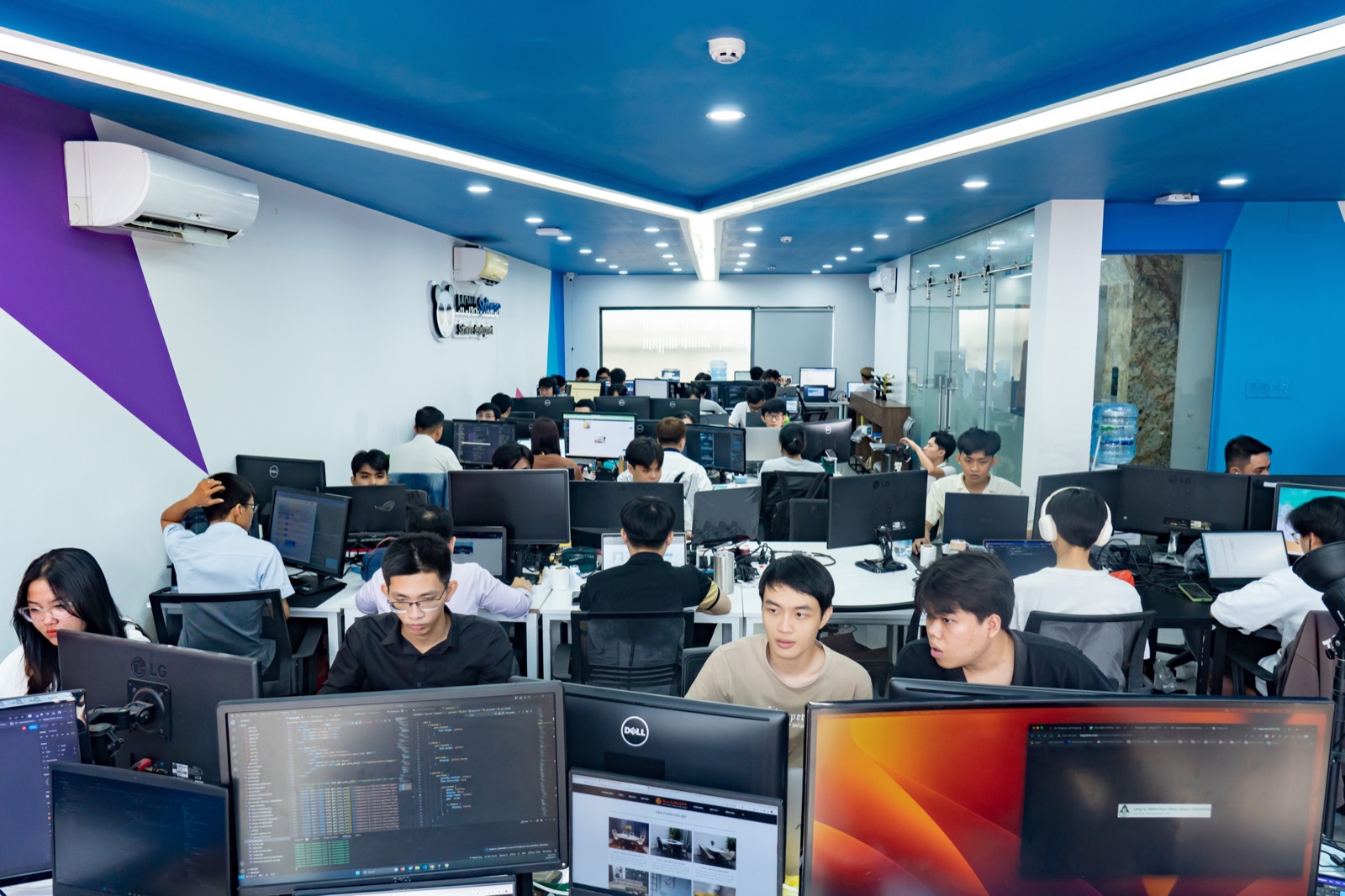
10 năm. 300+ con người. 13.500+ doanh nghiệp đã tin. Bây giờ là phần mềm.10 years. 300+ people. 13,500+ businesses trusted us. Now we ship software.

MONA Group khởi đầu từ thiết kế web năm 2016 ở Sài Gòn, lên lớn dần thành agency số đầy đủ — web, SEO, marketing, hosting, custom software. ScreenBoard là sản phẩm desktop đầu tay của MONA Software cho thị trường giáo dục online Việt Nam.MONA Group began as a web design shop in Saigon back in 2016, grew into a full digital agency — web, SEO, marketing, hosting, custom software. ScreenBoard is MONA Software's first desktop product, built for the Vietnamese online-education market.

10+
NĂM HOẠT ĐỘNGYEARS RUNNING
13.500+
KHÁCH HÀNGCUSTOMERS
300+
NHÂN SỰEMPLOYEES
80+
NGÀNH NGHỀINDUSTRIES

// Số liệu cập nhật từ mona.media · 5.0★ trung bình review khách hàng// Stats from mona.media · 5.0★ average customer review

MONA Software office
1073/23 CMT8 · TPHCM1900 636 648

Học sinh nhìn rõ.
Buổi dạy khác hẳn.
Students see clearly.
Lessons change.

3 phút trial mỗi lần mở. Đủ để biết có hợp không. Không cần thẻ.3-minute trial per launch. Enough to know if it fits. No card needed.

↓ Tải cho Mac↓ Download for MacVề MONAAbout MONA